
knitCompanion
Create2Thrive IncLifestyle
3.4296.00 Reviews
- Version
- 3.0.14
- Installs
- 100.00K
- Age Rating
- Everyone
Screenshots
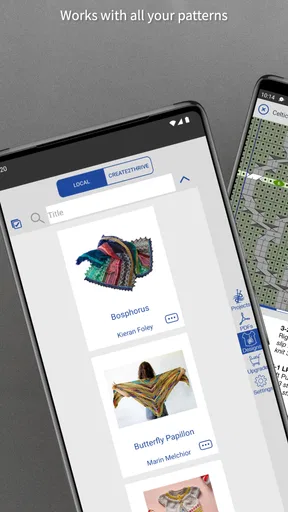
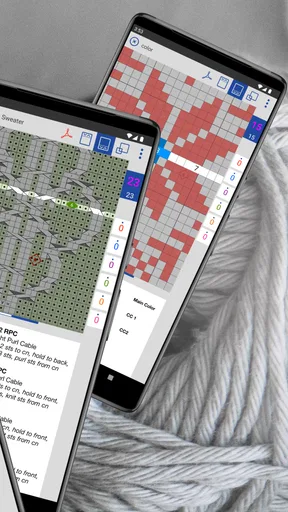
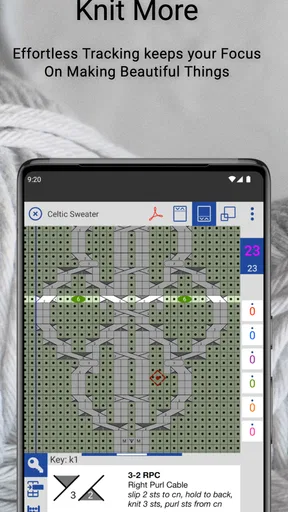
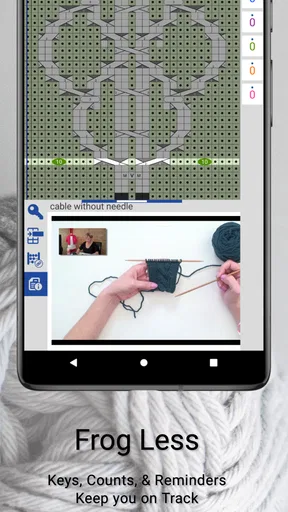
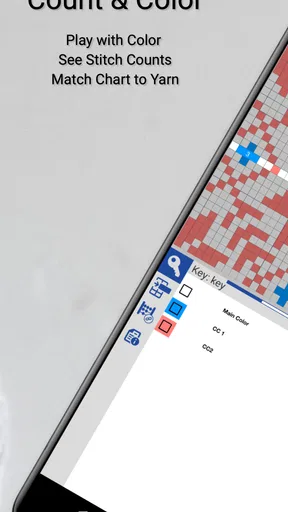
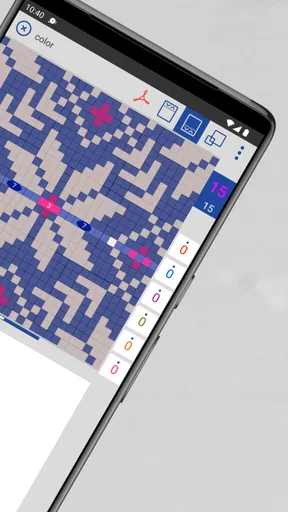
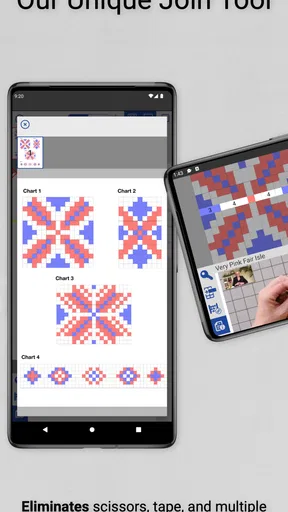
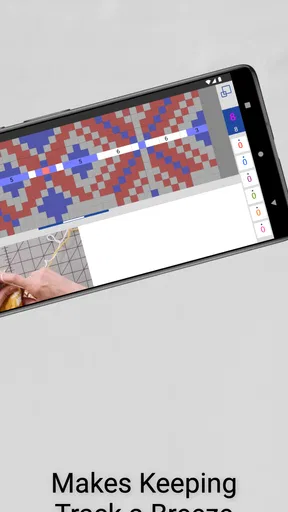
Our Review of knitCompanion
 Analysis by Appyee
When I work on a knitting project, the difficult part is not always the stitches. It is keeping the pattern, notes, progress, and distractions under control at the same time. That is the problem knitCompanion tries to solve. I found it most useful as a focused pattern companion rather than as a general knitting community, shopping tool, or teaching platform. Its purpose is narrower, and that is exactly why the right user can get a lot from it.
The app belongs to the lifestyle category and is developed by Create2Thrive Inc. It is free to install, rated for Everyone, and has built a sizeable audience with over 100K installs. Its average rating sits at 3.4 from around 900 ratings, so the public response is mixed rather than universally enthusiastic. That matches my impression: the idea is genuinely practical, but the value depends heavily on how you already organize your knitting and how much time you are willing to spend learning the workflow.
How to decide whether knitCompanion fits your knitting habits
I would begin with one simple question: do you regularly lose your place in patterns, or do you mainly need help finding patterns and learning techniques? If the first problem sounds familiar, this app deserves a closer look. If the second is your main concern, a pattern marketplace, video library, or knitting community may be a better first choice.
For me, the important decision criteria were not the number of decorative options or how polished the first screen felt. I wanted to know whether the app could make a long pattern easier to follow, whether it could support a project over several sessions, and whether moving from paper or another digital method would be worth the effort. Those questions matter more than the short store summary, “Knit More, Frog Less,” because the app’s usefulness appears after it becomes part of a repeatable routine.
A beginner should also think about the kind of support they expect. knitCompanion is not a substitute for understanding knitting abbreviations, reading charts, or recognizing when a mistake has happened. It can help you stay organized while following a pattern, but it does not remove the need to understand the pattern itself. I see it as a second pair of eyes for project management, not as a teacher sitting beside you.
Experienced knitters have a different reason to consider it. Once a project includes several sizes, repeated sections, chart pages, or instructions that must be revisited over many days, a simple PDF viewer can become awkward. Paper can work perfectly well, but it tends to collect pencil marks, sticky notes, and crossed-out rows. The app is aimed at reducing that friction by giving the pattern a more active place in your workflow.
There is also a practical device question. The current version is 3.0.14 and requires Android 8.0 or later. That makes compatibility worth checking before you plan a project around it. I would not wait until the evening before starting a complicated sweater to discover that an older phone or tablet cannot run the app comfortably.
What I look for during a real project
My first test for any knitting organizer is whether I can return to a project after a break without spending several minutes reconstructing my last session. A useful companion should make the next action obvious: which page matters, which line I was following, and what I need to check before continuing. That is where knitCompanion has a more specific purpose than a basic document reader.
The second test is error prevention. Knitting mistakes are often caused by losing concentration rather than lacking skill. A row with several instructions can look familiar enough to invite a guess, especially when the pattern is spread across pages. A dedicated pattern workflow can make it easier to slow down, mark progress, and separate one repeat from the next. I found that benefit more valuable than any visual novelty.
The third test is resilience. Real projects are interrupted by meals, commutes, conversations, tired evenings, and the need to put the needles down quickly. If an app only works when I can remember exactly where I stopped, it is not really helping. The best use of knitCompanion is therefore not a single long sitting, but a series of short returns in which the project remains understandable.
Where the app wins over paper and a normal PDF reader
The strongest case for this app is that it treats a knitting pattern as something you work through, not merely something you open and read. A normal PDF reader is excellent for viewing a file, but it is designed for documents in general. It does not naturally reflect the rhythm of counting, repeating, checking, and pausing that defines a knitting project.
That difference becomes clear with a pattern that contains multiple pages and repeated instructions. On paper, I might circle a line, add a note in the margin, and use a ruler or scrap paper to track my place. In a generic reader, I may zoom in and out, scroll back and forth, and lose the relevant line when I move between instructions. A knitting-focused tool can reduce those small interruptions, and small interruptions are often where errors begin.
Another advantage is mental separation. I can keep entertainment, messages, shopping, and unrelated files away from the project itself. That does not make a phone or tablet distraction-free, but it gives the knitting session a clearer identity. When I open the project, I am less likely to treat the pattern as just another document in a crowded folder.
There is a useful distinction between a pattern archive and a pattern workspace. An archive answers, “Where did I save this?” A workspace answers, “What am I doing now?” knitCompanion makes more sense as the second kind of tool. If you already have a reliable archive but struggle during execution, it may fill a gap that cloud storage and PDF apps leave open.
My most practical tip is to prepare a project before you are eager to knit it. Open the pattern when you have time, inspect how the instructions are arranged, and decide how you will mark progress. Doing that preparation on a calm afternoon is much less frustrating than trying to learn the workflow while a deadline or group knitting session is already underway.
Three workflows that make the difference
The first workflow is the long project that moves between locations. Imagine working on a cardigan at home, taking it to a waiting room, and returning to it several days later. Instead of carrying loose pages or relying on memory, I would keep the digital pattern and project state together. The real benefit is not portability alone; it is reducing the number of decisions required before the next stitch.
The second workflow is the pattern with repeated sections. Repeats are deceptively demanding because they feel familiar. I have often made an error not in the first repeat, but in a later one when my eyes moved ahead of my hands. A dedicated companion is useful here because it encourages deliberate progress tracking. My advice is to mark each repeat immediately, rather than assuming I will remember the count at the end of the row.
The third workflow is the project shared with an interruption-heavy household. If someone asks a question, a delivery arrives, or I need to answer a call, the danger is returning to the pattern one line away from where I stopped. With a structured digital setup, I can pause more confidently. It does not guarantee perfect memory, but it gives me a better chance of resuming accurately.
A less obvious advantage is review. When I finish a session, I can think about what caused hesitation: a confusing abbreviation, a page transition, or a repeat that needed extra attention. That reflection helps me improve my own project setup. I would not expect the app to diagnose knitting mistakes, but it can make my process visible enough to notice where I keep slowing down.
The trade-off is that these benefits appear only after consistent use. If I open the app once, fail to organize the project, and return to paper immediately, I may conclude that it adds work. That conclusion would be fair for a casual knitter, but less fair for someone managing patterns large enough to justify a dedicated system.
Where ordinary alternatives may fit better
Paper remains a strong alternative, especially for knitters who enjoy writing directly on a printed pattern. It is immediate, familiar, easy to place beside the needles, and unaffected by battery concerns. If your projects are short, your notes are simple, and you rarely lose your place, paper may be faster than learning a new digital routine.
A standard PDF reader is also a sensible choice for occasional users. It usually handles documents without asking you to adopt a knitting-specific habit. If you only follow a pattern a few times a year, the extra structure of knitCompanion may not repay the setup time. In that situation, the ordinary reader wins through familiarity.
Pattern marketplaces and knitting communities solve a different problem. They are better when you are still searching for inspiration, comparing designs, asking other knitters for help, or looking for technique demonstrations. knitCompanion is not the option I would choose as my main discovery destination. Its strength begins after I have selected a pattern and need to work through it carefully.
Video-based learning has another advantage for beginners. Watching someone demonstrate tension, decreases, or a difficult maneuver can answer questions that written instructions cannot. A pattern companion can keep me organized, but it cannot replace visual instruction when the issue is hand movement. I would combine the two rather than expect one app to cover both roles.
There is also a personality fit to consider. Some knitters enjoy a tactile paper system with colored pencils and handwritten notes. Others prefer a clean digital workspace and dislike carrying several pages. Neither preference is wrong. The app is most convincing for the second group, particularly when projects are complex enough that physical pages become part of the problem.
The cost of switching from an existing system
Because the app is free, the main cost is not the initial purchase. The real cost is attention: importing or arranging patterns, learning where to place progress marks, and changing habits that may already feel automatic. That cost is easy to underestimate. A tool can be capable and still feel inconvenient if it asks me to rebuild every project at once.
I would switch gradually. I would choose one medium-sized project, not my most complicated heirloom piece and not a tiny practice swatch. A project with enough repetition to test the workflow, but not so much emotional importance that a learning mistake becomes stressful, gives the fairest trial. I would keep the original pattern available during the first few sessions as a safety net.
It is also worth understanding the pricing model before committing to a long-term setup. The app is free, while in-app purchases are listed at $29.99 per item. That does not make the free starting point meaningless, but it does mean I would inspect which part of my intended workflow requires an additional purchase before moving a whole library into the app. For me, that is a more important question than simply seeing “free” beside the download option.
My switching rule would be simple: if the app saves enough time during every session to outweigh the initial learning curve, continue. If I spend more time managing the pattern than knitting from it, return to the method that already works. The goal is not to own a specialized tool; the goal is to make the project calmer and less error-prone.
One useful habit is to keep a small written backup for the current row or repeat while testing the app. That is not a criticism of the application so much as sensible project insurance. Digital organization is helpful, but knitting is a physical activity, and a dropped device or dead battery can interrupt the session at the worst possible moment.
Who should use it, and who should skip it
I would recommend trying knitCompanion if you regularly work from digital patterns, return to projects after long pauses, or feel that repeated rows and page changes cause avoidable mistakes. It is especially promising for knitters who want a dedicated project environment instead of combining a PDF reader, notes app, and memory.
I would be more cautious if you are brand new to knitting and are looking for step-by-step teaching. The app may help you follow a pattern once you understand its language, but it should not be your only learning resource. Start with instruction that explains techniques clearly, then use a pattern companion when you are ready to manage projects independently.
I would also skip it if your knitting is deliberately analog. If you enjoy printed pages, pencil marks, and a simple basket beside your chair, switching to a screen may add distance rather than remove friction. The app is not automatically better because it is specialized. It is better only when its organization matches the way you knit.
For families, the Everyone content rating makes it approachable from an age-classification standpoint, but that does not answer whether a child will find the interface easy. I would still introduce it alongside a suitable pattern and adult guidance, especially when the main challenge is learning knitting rather than tracking a project.
My recommendation after weighing the trade-offs
My overall view is positive but selective. knitCompanion is not the universal answer to every knitting need, and its average rating of 3.4 suggests that the experience will not satisfy everyone equally. Still, I can see why a serious hobbyist would prefer a purpose-built pattern companion over a generic document viewer once projects become longer, more repetitive, or harder to resume.
The best way to judge it is to test one real project with a clear goal. Do not ask whether it looks more advanced than paper. Ask whether you make fewer “where was I?” pauses, whether you recover faster after interruptions, and whether repeated instructions feel easier to manage. Those are the moments in which the app earns its place.
I would choose it over a normal PDF reader for structured project tracking, while choosing paper for quick, familiar projects and a learning platform for technique instruction. That comparison is the key decision: knitCompanion is a workflow tool, not a complete knitting ecosystem.
With its current version 3.0.14, free entry point, and support for Android 8.0 and later, it is easy enough to try without immediately rebuilding your entire knitting life. Just approach it as a gradual change, pay attention to the in-app purchase structure, and keep your expectations realistic. Its real strength is turning a pattern from something I merely read into something I can actively work through.
My recommendation is therefore clear: try it if pattern management is the part of knitting that slows you down. If your existing paper or PDF routine is already effortless, there is no strong reason to switch. For knitters who repeatedly lose their place, juggle several pages, or need a dependable way to return to a project, this app is worth the learning curve.
After years of treating patterns as passive instructions, I appreciate the more deliberate approach. It does not make every project simple, and it cannot replace knitting knowledge, but it can remove a layer of avoidable friction. For the right user, that is enough to make more consistent progress and spend less time undoing work that could have been prevented.
Verdict
Strengths of knitCompanion
- Powerful pattern-marking tools for complex knitting projects.
- Syncs project progress across devices with a registered account.
- Supports many PDF patterns and popular knitting file formats.
- Helpful row counters, notes, and customizable highlighting options.
- Useful library for keeping patterns and project details organized.
Limitations of knitCompanion
- Many advanced features require a paid subscription.
- The interface can feel overwhelming for first-time users.
- Some imported PDFs may need manual adjustment for proper marking.
- Cloud syncing depends on a stable internet connection.
- Small-screen phones can make detailed pattern navigation difficult.
Similar Picks in This Category
View All
SmartThings
Samsung Electronics Co., Ltd.4.6

Google Home
Google LLC4.0

Pinterest4.2

Astrotalk - Talk to Astrologer
Astrology & Horoscope4.7

My Verizon
Verizon Consumer Group4.5

Samsung Wallet (Samsung Pay)
Samsung Electronics Co., Ltd.4.1
Frequently Asked Questions
What is knitCompanion and who is it designed for?
knitCompanion is a mobile companion app for knitters who want to keep digital patterns organized and easier to follow while working on a project. It is designed for beginners, experienced knitters, and anyone who uses PDF patterns, charts, or saved projects. The app focuses on pattern viewing, progress tracking, notes, counters, and project organization rather than replacing a pattern designer or knitting instruction book.
Can I use my own knitting patterns with knitCompanion?
Yes, knitCompanion is primarily intended to work with patterns you already own or have legally obtained. You can generally import compatible digital patterns, including PDF documents, and use the app’s tools to highlight instructions, follow charts, add notes, and keep track of your progress. The exact import process and supported services may vary, so users should check the current app requirements before downloading or subscribing.
Does knitCompanion work offline while I am knitting?
knitCompanion can be useful in places where an internet connection is limited, especially after your patterns and project information have been downloaded or synchronized. This makes it practical for knitting during travel or away from home. However, features involving cloud synchronization, online pattern libraries, account services, or external storage may require internet access. It is best to prepare the project in advance if you expect to work offline.
What features does knitCompanion offer for following patterns?
The app provides tools intended to make complex knitting patterns easier to read on a phone or tablet. Depending on the pattern and the version of the app, these may include row and repeat counters, highlighting, chart navigation, annotations, reminders, project organization, and ways to mark your current position. These features can reduce the need for printed pages, although screen size and pattern formatting may affect how comfortable the experience feels.
Is knitCompanion free to download, and are there paid features?
knitCompanion may be available to download without an upfront charge, but users should carefully review the current pricing model because some advanced functions, synchronization options, or full project tools may require a subscription or in-app purchase. Availability can also differ between Android and iOS. Before downloading, check the official store listing for trial terms, recurring billing details, supported devices, and what is included in the free version.
